
The short answer
The short answer
To get farther in PEAK, protect the next safe pause. Use short grabs, stop before stamina is empty, eat before hunger is urgent, cook useful food, and carry the right tool. In co-op, call boosts, stay close enough to recover one another, and protect the Scout. Check the route after each reset; preparation beats speed.
Master the basics first
Tip 1 is foundational: hold the left mouse button to grab a climbable surface, then release before the move becomes a panic choice. Practice short grabs on safe ground so you can see the next handhold and reposition on narrow ledges.
Tips 2 and 3 protect the resources that quietly end a run. Stamina is both movement budget and recovery margin. Hunger is a planning signal: eat before it becomes urgent, keep a reserve for detours or rescue, and do not spend your last energy to save seconds.
- Tip 1 - Learn the grab Hold left click to grip, then release with a safe next move in mind.
- Tip 2 - Protect stamina Pause on reliable ground and keep energy for the next commitment or retreat.
- Tip 3 - Watch hunger Treat food as route planning, not a last-second button.
Cook your food
Tip 4: cook when you have safe ground and time. Cooking can improve the value of a food find, while eating everything raw wastes an easy opportunity. Benefits can vary by item and version, so read the current in-game description.
Prepare before a long exposed section and keep enough for the return or a downed teammate. A cooking stop never replaces checking the next hazard.
- Tip 4 - Cook before the hard push Use a safe pause to improve food value before the route needs it.
Ropes vs chains
Tip 5: a rope is a portable line you place; a chain is a line aid already attached to the terrain. Use a dependable chain when one is available. Save a rope for a gap, awkward approach, or backup connection.
Check the attachment point and the next landing, not just the item name. Interactions can change with updates, so follow the current prompt.
- Tip 5 - Match the line to the terrain Use an available chain and save a rope for extra reach or recovery.
Prepare before you climb
Tips 6 and 7 happen before the serious climb. Search nearby for coconuts and other supplies while returning is easy; take enough for the first objective, then leave instead of draining stamina for a perfect inventory.
Treat weight and slots as trade-offs. Pack for the next obstacle, assign food a purpose, and avoid four players carrying the same narrow tool. A light, explainable loadout is easier to replace after a mistake.
- Tip 6 - Gather close supplies Collect nearby coconuts and useful food before an easy return disappears.
- Tip 7 - Pack for the next problem Balance weight, food, route utility, and recovery.
Play with a team
The official Steam description supports solo play and co-op groups of up to four. Stay close enough to share route information and help, but avoid stacking on one unsafe edge. Name the next meeting point and who tests the route.
Tip 8: agree on the next objective. Tip 9: before a boost, confirm a usable handhold or landing; never boost into unchecked terrain. Tip 10: protect recovery. A Scout can reduce bad commitments, and the current Scout revive option may return a downed teammate when its on-screen condition is met. Announce who is recovering whom and verify the prompt after updates.
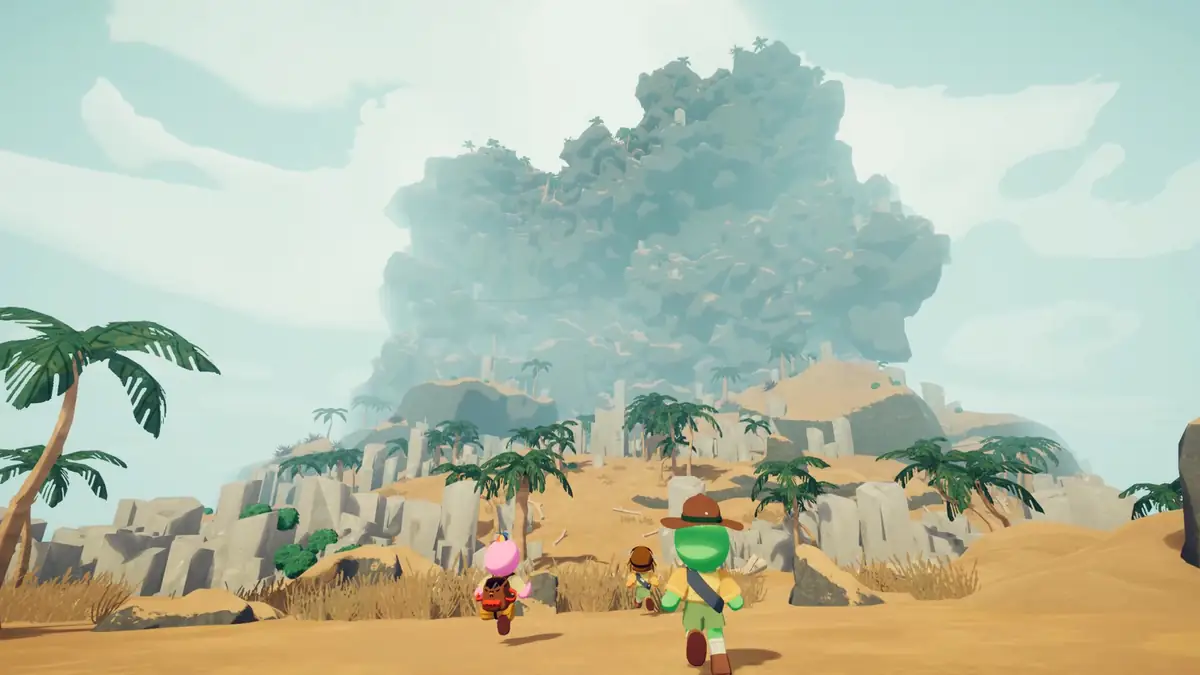
- Tip 8 - Move as a group Call the next objective and regroup before a risky section splits the team.
- Tip 9 - Boost with a plan Check the landing before using a team assist.
- Tip 10 - Protect recovery Let the Scout or helper work safely while the team holds the route.
Watch the cold
Tip 11: cold is a route-and-time problem. Avoid standing still in exposed areas, move toward the cover or warmer area shown by the current game, and keep stamina for the crossing. The answer to how to avoid the cold in PEAK game is to plan the exposed segment before entering it.
Keep food and recovery options ready. Warming effects and thresholds are version-sensitive, so use current descriptions instead of assuming one consumable always cancels cold.
- Tip 11 - Cross cold sections with a plan Scout the route, keep stamina for the crossing, and verify warming options.
Plan your route with today's map
Tip 12: check today's PEAK map rotation before starting. The daily route can change which biome context appears first, so yesterday's loadout may not fit today's climb. Use the dated build-time card below, then confirm the live route after the reset.
The map sets preparation priorities; the session reveals the exact rest point, hazard, or rescue problem. Compare its date, source, reset status, and route fields before turning a daily note into a plan.
Start with the next known terrain, add food and recovery margin, then keep one flexible option for what the map cannot show.
Build-time daily map
Today's PEAK map
- Biome
- Shore, Tropics, Mesa, Gloom, Citadel
- Record date
- Next reset
- 17:00 UTC (daily)
This snapshot is written during the build. Confirm the route in PEAK after a reset or update. Check today's live map
- Tip 12 - Check before leaving camp Use the daily route to prepare, then let the live game confirm the path.
Turn the 12 tips into a repeatable routine
Use the twelve tips as a short loop: check nearby supplies, choose a light loadout, agree on the first objective, and identify the next safe pause. During the climb, use short grabs, protect stamina, announce boosts, and stop when the team no longer has a clear recovery option.
After a run, record what actually happened instead of rebuilding the route from memory. Keep the date, map context, useful tool, and decision that caused trouble. A dated observation is more useful than a confident rule that only fits one seed, patch, or team.
Next steps for better PEAK runs
Once these habits feel natural, compare the route with our biomes list and return to the daily map page before your next attempt. For a complete first-run walkthrough, read our complete beginner's guide, then learn what PEAK is. For the broader route and difficulty picture, read our levels and difficulty guide.
Quick answers
PEAK game tips FAQ
Is PEAK a difficult game?
PEAK can be difficult because climbing, stamina, hunger, equipment, cold, route reading, and teamwork interact. Start with safe pauses and a recovery plan.
How do I get farther in PEAK?
Gather nearby supplies, cook useful food, match tools to terrain, pause before stamina is empty, and communicate the next move. Stay close enough to help in co-op.
How do I avoid the cold in PEAK?
Scout exposed sections, keep moving, save stamina for the crossing, and use current warming or protective options. Item effects can change after updates.
How should you play PEAK?
Treat PEAK as a route-and-resource problem: read the next climb, choose a safe pause, spend utility deliberately, and adapt to the current session.
Sources and limits
Keep tips tied to the current game
Platform and group-size facts come from the official PEAK Steam page. Daily route context is build-time map data. Verify item, cold, Scout revive, rope, and chain behavior in the current game after updates.